





Frequently Asked Questions About Golf Launch Monitors
Welcome to our comprehensive FAQ section on golf launch monitors. Whether you're a professional golfer aiming to fine-tune your swing or a beginner looking to improve your game, this guide covers all the essential information you need to make an informed decision.
What is a golf launch monitor, and how does it work?
A golf launch monitor is a device that analyzes various aspects of your golf swing and ball flight. It uses advanced technology like radar, cameras, or infrared sensors to track metrics such as club speed, ball speed, launch angle, spin rates, and more. This data helps golfers understand their performance and identify areas for improvement.
Why should I use a golf launch monitor?
Using a launch monitor provides several benefits:
- Accurate Data Analysis: Gain insights into your swing mechanics.
- Performance Improvement: Identify strengths and weaknesses to focus your practice.
- Equipment Fitting: Assist in selecting the right clubs and balls for your game.
- Objective Feedback: Receive measurable data rather than relying on feel alone.
What types of golf launch monitors are available?
There are mainly two types:
- Radar-Based Monitors: Use Doppler radar to track the ball's flight.
- Camera-Based Monitors: Use high-speed cameras to capture the ball and club at impact.
Some advanced models combine both technologies for enhanced accuracy.
How accurate are golf launch monitors?
Accuracy varies by model and technology:
- High-End Monitors: Extremely accurate, often used by professionals.
- Mid-Range Monitors: Offer a good balance of accuracy and affordability.
- Entry-Level Monitors: Provide basic metrics with reasonable accuracy.
Always check product specifications and reviews to understand the accuracy levels.
What data metrics do launch monitors measure?
Common metrics include:
- Club Head Speed
- Ball Speed
- Launch Angle
- Spin Rates (Backspin and Sidespin)
- Carry Distance
- Total Distance
- Smash Factor
- Angle of Attack
- Club Path
- Face Angle
Can I use a launch monitor indoors and outdoors?
Yes, many launch monitors are designed for both indoor and outdoor use. Ensure you have sufficient space and appropriate lighting for indoor setups, especially for camera-based systems.
How much space is required for indoor use?
General guidelines for indoor use:
- Ceiling Height: Minimum of 9 feet to accommodate a full swing.
- Width: At least 10 feet (12 feet minimum if you want to hit the ball from the center of the room).
- Depth: Around 15 feet for safe ball flight and device placement.
What is the price range for golf launch monitors?
Prices vary widely:
- Entry-Level Models: $300 - $1,000
- Mid-Range Models: $1,000 - $3,000
- High-End Models: $3,000 - $25,000+
Choose based on your budget and the features you need.
Are budget-friendly launch monitors effective?
Yes, they provide valuable data for recreational golfers. While they may not offer all the advanced features of high-end models, they can significantly aid in game improvement.
What are some popular brands of golf launch monitors?
- FlightScope
- SkyTrak
- Foresight Sports (QuadMax, GCQuad, GC3, GCHawk)
- Uneekor
- Bushnell
- Apogee
- Garmin Approach (R10 and R50)
- Full Swing
- PRGR
- Rapsodo
- TruGolf MAX
- Ernest Sports
Do I need additional equipment to use a launch monitor?
You might need:
- Smart Device or Computer: For data display and analysis.
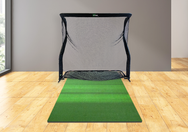
- Golf Net or Screen: For indoor practice.
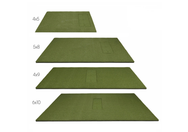
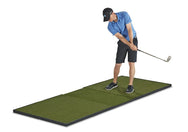
- Hitting Mat: Protects floors and simulates turf.
- Software or Apps: For advanced features and simulations.
Can launch monitors be integrated with golf simulators?
Yes, many launch monitors are compatible with simulation software, allowing you to play virtual courses and practice in simulated environments.
How do I set up a golf launch monitor?
Setup varies by model:
- Placement: Position according to manufacturer guidelines.
- Calibration: Follow instructions for accurate measurements.
- Connection: Pair with devices via Bluetooth or Wi-Fi.
- Testing: Hit test shots to ensure proper functionality.
Are launch monitors compatible with both right and left-handed golfers?
Yes, most are designed to accommodate both. Some may require minor adjustments during setup.
What should I consider when buying a launch monitor?
- Accuracy and Data Metrics
- Portability
- Indoor/Outdoor Capability
- Ease of Use
- Software Compatibility
- Budget
- Customer Support and Warranty
How can a launch monitor help with club fitting?
By providing detailed swing and ball flight data, launch monitors help fitters recommend clubs that match your swing characteristics, optimizing performance.
Do professional golfers use launch monitors?
Yes, professionals use high-end launch monitors for practice, swing analysis, and equipment fitting due to their precise data.
Is technical knowledge required to use a launch monitor?
Basic operation is straightforward, but understanding data metrics enhances the benefits. Many devices come with tutorials and customer support.
How do I interpret the data from a launch monitor?
Key metrics explained:
- Club Head Speed: Determines potential distance.
- Ball Speed: Higher speed means longer shots.
- Launch Angle: Affects trajectory and distance.
- Spin Rate: Influences flight stability and distance.
- Smash Factor: Efficiency of energy transfer (Ball Speed ÷ Club Speed).
Are there ongoing costs after purchasing a launch monitor?
Possible ongoing costs:
- Software Subscriptions: For updates or advanced features.
- Simulation Courses: Additional course packages may require purchase.
- App Fees: Some apps might have premium versions.
Can I use any golf ball with a launch monitor?
Most launch monitors work with standard golf balls. Some may require balls with metallic dots or markings for enhanced accuracy.
How portable are golf launch monitors?
Portability varies:
- Handheld Devices: Highly portable and easy to set up.
- Larger Units: May require more effort to move and set up.
Do launch monitors require calibration?
Some models require calibration for accurate readings, especially after moving the device. Always follow manufacturer instructions.
Can multiple players use the same launch monitor?
Yes, most devices support multiple user profiles, allowing each player to track their data separately.
Is customer support available for setup and troubleshooting?
Absolutely! We offer:
- Phone and Email Support
- Online Manuals and FAQs
- Video Tutorials
What is the warranty period for launch monitors?
Warranty periods vary but generally range from 1 to 2 years. Check the manufacturer's warranty policy for specifics.
Are financing options available?
Yes, we offer flexible financing through Affirm and Shop Pay Installments. Choose a payment plan that suits your budget.
How do weather conditions affect outdoor use?
- Radar-Based Monitors: May be less accurate in rain or fog.
- Camera-Based Monitors: Require good lighting and may struggle in low-light conditions.
Can launch monitors help improve my golf game?
Yes, by providing real-time feedback on your swing and ball flight, you can make informed adjustments to enhance your performance.
Do I need special lighting for indoor use?
Proper lighting ensures accuracy, especially for camera-based systems. Avoid harsh shadows and ensure the hitting area is well-lit.
Are there apps associated with launch monitors?
Yes, many come with companion apps offering:
- Data Analysis
- Swing Video Recording
- Progress Tracking
- Virtual Challenges
Can I connect the launch monitor to a TV or projector?
Yes, connecting to a larger screen enhances the visual experience, especially when using simulation software.
What languages are supported?
Language support varies. Most devices support English, with some offering multiple language options. Check specifications for details.
Are there community features or online competitions?
Some platforms offer:
- Online Leaderboards
- Community Forums
- Multiplayer Modes
Engage with other golfers and participate in challenges.
How often should I update the software?
Regular updates are recommended to:
- Improve Functionality
- Add New Features
- Fix Bugs and Glitches
Can instructors use launch monitors for teaching?
Yes, they are valuable tools for golf instructors to provide detailed feedback and enhance lesson quality.
What's the difference between a launch monitor and a golf simulator?
- Launch Monitor: Measures swing and ball data.
- Golf Simulator: Uses a launch monitor plus software to simulate playing on virtual courses.
Do you offer trade-in or upgrade programs?
Please contact our sales team for more information.
Can I use the launch monitor at the driving range?
Yes, portable models are ideal for outdoor practice sessions at the range.
Are there any safety considerations?
Ensure:
- Adequate Space: To swing freely without hazards.
- Secure Setup: Devices are placed safely away from the swing path.
- Supervision: Especially when used by minors.
How do I maintain and clean my launch monitor?
- Cleaning: Wipe with a soft, dry cloth.
- Storage: Keep in a protective case when not in use.
- Avoid Moisture: Keep away from water unless specified as waterproof.
What accessories enhance the launch monitor experience?
- Protective Cases
- Mounting Tripods
- Alignment Sticks
- Additional Batteries
- Golf Nets, Enclosures, and Mats
Is internet connectivity required?
An internet connection is needed for:
- Software Updates
- Cloud Storage
- Online Features
Basic functions may work offline.
Can I get personalized recommendations based on my data?
Some devices and apps offer AI-driven tips and training plans based on your performance metrics.
Do launch monitors help with swing speed training?
Yes, some launch monitors provide immediate feedback on swing speed without hitting the ball, allowing you to work on increasing it effectively.
Can I use a launch monitor for putting practice?
While primarily designed for full swings, some advanced models offer putting analysis features.
What is "Smash Factor"?
Smash Factor is the ratio of Ball Speed divided by Club Head Speed. It indicates the efficiency of energy transfer from the club to the ball.
What is the difference between radar and camera (photometric) launch monitors?
Golf launch monitors use one of two core tracking technologies — or a combination of both:
- Radar (Doppler): Uses radio waves to track the ball through its flight path. Best for: outdoor range use, garages with adequate depth, and budget-conscious buyers. Examples: FlightScope Mevo Gen2, Garmin Approach R50, Voice Caddie SC200 Plus.
- Camera (Photometric): Captures the ball at impact using high-speed cameras, analyzing dimple patterns to calculate spin and direction before the ball travels far. Best for: short indoor spaces, high accuracy, and professional-grade data. Examples: Uneekor EYE XO, Foresight GC3, SkyTrak ST MAX.
- Fusion (Radar + Camera): Combines both for maximum accuracy. Found in professional systems like Trackman and high-end Uneekor units.
Compare launch monitors by technology →
What is the best golf launch monitor under $500?
In the under-$500 range, you're looking at portable radar-based units best suited for swing speed training and basic ball-flight data. Top picks available at Top Shelf Golf:
- Voice Caddie SC200 Plus ($279.99) — Measures carry distance, ball speed, swing speed, and smash factor. Practice Swing Mode lets you measure club speed without hitting a ball. Voice output announces distance after every shot.
- PRGR Black Pocket ($229) — Ultra-portable, tracks swing speed and ball speed without hitting a ball. Stores 500 swings. Works for baseball, tennis, and hockey too.
At this price point, don't expect spin data or launch angle — those require camera-based systems. Shop all launch monitors →
What is the best golf launch monitor under $1,000?
The $500–$1,000 range unlocks app connectivity, more data parameters, and entry-level simulator compatibility. Strong options include:
- Garmin Approach R10 — Radar-based, 10+ data parameters, integrates with the Garmin Golf app, compatible with E6 Connect. Highly portable.
- Rapsodo MLM2PRO — Camera + radar fusion, measures spin (with compatible balls), supports major simulator software platforms.
At this price point, expect launch angle, carry distance, ball speed, club speed, and basic simulator software access. Shop launch monitors under $1,000 →
What is the best golf launch monitor under $2,000?
The $1,000–$2,000 range is where accuracy, full data suites, and reliable simulator software compatibility converge. Our top picks:
- Garmin Approach R50 ($1,999.99) — Radar-based, 20+ metrics including spin, built-in simulator software, indoor/outdoor capable. Outstanding value at this price point.
- SkyTrak ST MAX — Camera-based, highly accurate spin data, built-in software ecosystem, strong simulator compatibility.
Shop launch monitors → or call (888) 871-6110 for a personalized recommendation.
Which launch monitors are compatible with golf simulator software?
Simulator software compatibility varies by device. Here's a quick reference for our most popular models:
- Uneekor EYE XO: GSPro, E6 Connect, TGC 2019, Creative Golf 3D
- FlightScope Mevo Gen2: E6 Connect, GSPro, TGC 2019, Creative Golf 3D, Awesome Golf
- Garmin Approach R50: Garmin Golf (built-in simulation), E6 Connect
- SkyTrak ST MAX: SkyTrak+ app, E6 Connect, WGT, TGC 2019
- Foresight GC3: FSX Play, E6 Connect, Creative Golf 3D
Always verify software compatibility on the manufacturer's website before purchasing. Shop simulator-compatible launch monitors →
What is carry distance vs. total distance, and which should I pay attention to?
Carry distance is how far the ball travels through the air before landing. Total distance is carry plus rollout after landing. For most golfers, carry distance is the more useful number — especially for approach shots where landing spot precision matters more than where the ball eventually stops. Total distance varies significantly based on course firmness, slope, and grass conditions. Nearly all launch monitors report carry distance; total distance estimates are less reliable since they depend on conditions the monitor can't measure.
What is angle of attack and why does it matter?
Angle of attack (AoA) is the vertical direction the clubhead is traveling at impact — measured in degrees up or down. A negative AoA means the club is moving downward at impact (correct for irons); a positive AoA means it's traveling upward (ideal for driver). For driver, a positive AoA of +2° to +5° combined with low spin produces maximum distance. For irons, a downward strike creates compression and the backspin needed for accuracy and stopping power. Angle of attack is measured by mid-range and premium launch monitors including the Garmin Approach R50, Uneekor EYE XO, and Foresight GC3. Shop launch monitors that measure angle of attack →
What is spin loft, and how does it affect my shots?
Spin loft is the difference between the club's dynamic loft at impact and the angle of attack. It's one of the primary factors controlling backspin. A higher spin loft means more backspin — which adds height and stopping power but can reduce distance. For driver, lower spin loft (through a more upward angle of attack and reduced dynamic loft) produces less spin and more distance. For irons and wedges, higher spin loft creates the stopping power you need on approach shots. Spin loft data is available on premium launch monitors like the Uneekor EYE XO and Foresight GC3.
What launch monitors do tour professionals use?
Tour professionals primarily use Trackman and FlightScope on the practice range due to their comprehensive data output and proven accuracy. Foresight Sports GCQuad is widely used for tour-level club fitting. At Top Shelf Golf, we carry Foresight Sports GC3 and the FlightScope Mevo Gen2 — both deliver tour-inspired accuracy at a fraction of the cost of professional systems. The Uneekor EYE XO is also favored by serious players and club fitters for its camera-based precision. Shop professional-grade launch monitors →
Can I use a launch monitor for indoor practice without a full simulator?
Absolutely — a launch monitor provides tremendous value even without a full simulator setup. Many golfers use a launch monitor while hitting into a basic practice net in their garage or basement, getting real-time swing data on every shot without paying for a projector or impact screen. For this use case, portable radar units like the FlightScope Mevo Gen2 or Garmin Approach R50 are ideal. You can always add a screen and projector later to upgrade to a full simulator. Shop portable launch monitors →
Didn't find your question?
Feel free to contact us or call (888) 871-6110. We're here to assist you!
Top Shelf Golf
- Phone: (888) 871-6110
- Address: 15 Cottage Rd Unit 2287, South Portland, ME 04116
- Website: https://topshelfgolf.com
We hope this FAQ section helps you understand golf launch monitors better and guides you in making the best choice for your game. Our goal is to enhance your golfing experience with the right tools and support.