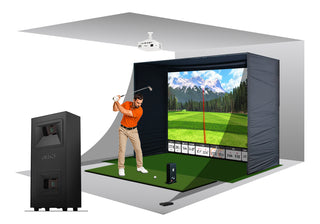
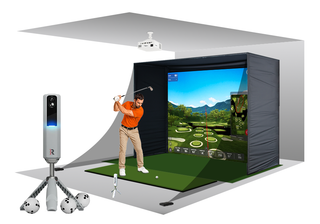
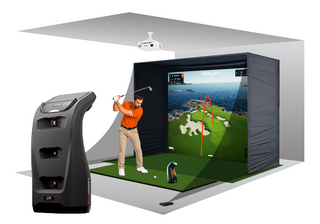
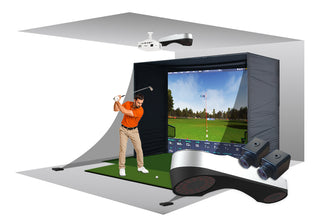
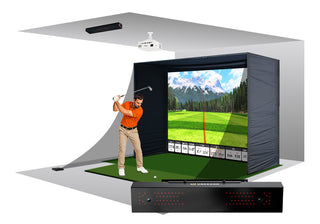
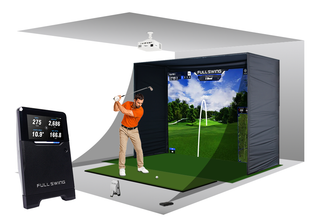
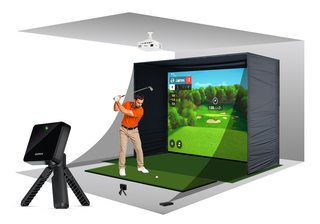
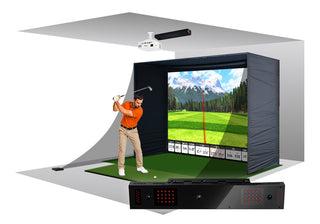
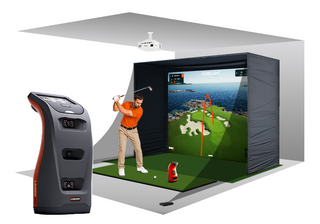
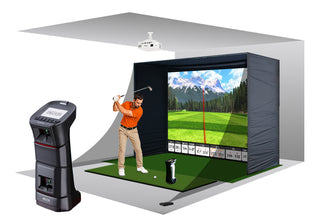
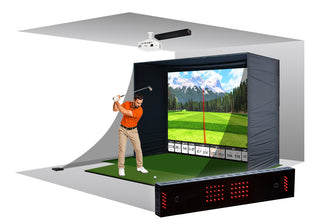
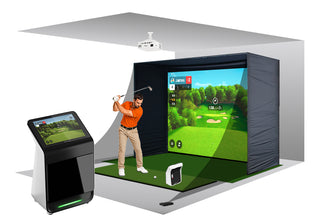
Golf Simulator Packages
Pick a setup and a launch monitor, or bring your own. See it at your room's size before you buy.
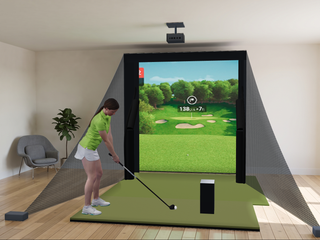
Pick what you hit into
Every setup takes your pick of 22 launch monitors, or none if you bring your own.

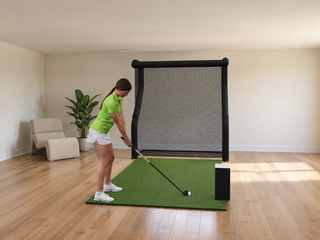
Net
Nets 4.5' to 10' wide, 8 sizes
From $1,294 no launch monitor
Auto-return net that sends every ball back to you.
See Net →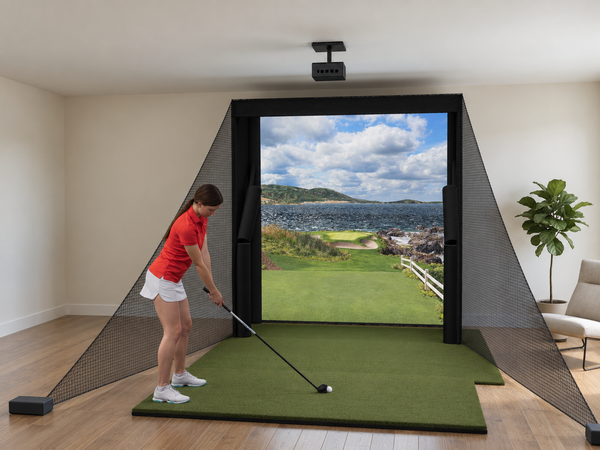
Floating Screen
Min room 10'W (8' bay), 12'W (10' bay), 14'W (12' bay) x 9'H x 14'D
From $3,002 no launch monitor
Floating screen minimizes ball bounce-back, so the bay works in tighter, smaller rooms.
See Floating Screen →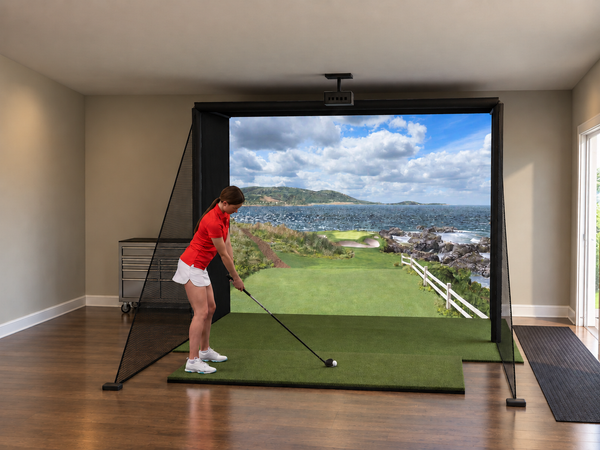
DIY Enclosure
Min room 8'10"W x 8'7"H x 16'9"D
From $3,892 no launch monitor
Freestanding 1-inch pipe frame, the lowest-cost enclosure.
See DIY Enclosure →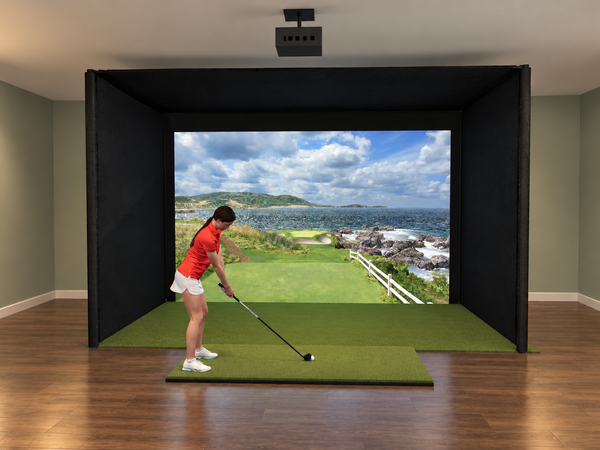
Pro Enclosure
Min room 11'7"W x 8'9"H x 16'0"D
From $5,977 no launch monitor
Rigid 2-inch steel frame for a dedicated room or a business.
See Pro Enclosure →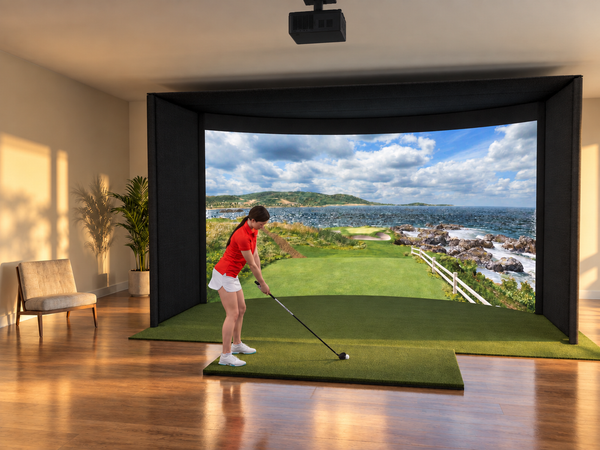
Curved Screen
Min room 14'4"W x 9'6"H x 16'0"D
From $10,057 no launch monitor
Screen curves around the hitting area for a more immersive view.
See Curved Screen →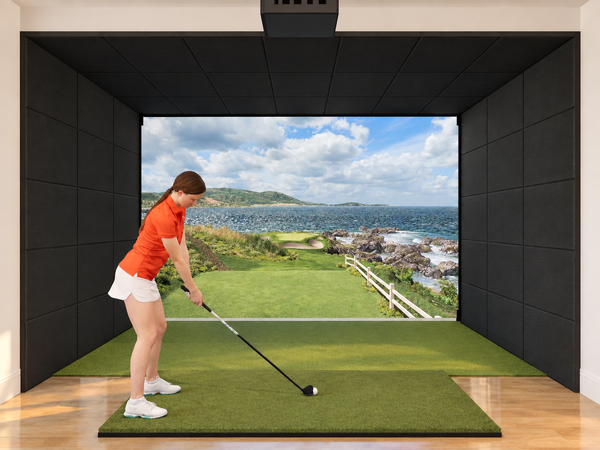
Built-In Screen
Min room 10'W x 9'H x 18'D (14'W for a centered tee)
From $2,807 no launch monitor
Mounts to your walls with no standalone frame, for the clean look of a high-end commercial bay.
See Built-In Screen →


Start from a build that already works
8 complete simulators, from a garage practice net to a 15 ft deep Pro studio. Every part picked, priced and drawn in 3D. Change anything you like.
See the 8 Signature BuildsEnter your ceiling, width and depth to see every setup that fits. Not sure of a size? Measure it in the Golf Simulator Builder.
Your launch monitor, in a complete room
Pick the setup, then the launch monitor. Pro Enclosure, Curved Screen and Built-In Screen offer all 22 on their own page.
Net packages by launch monitor
The simplest way in: the launch monitor on the card, The Net Return auto ball return net and Pro Turf, with the net up in 5 minutes. No enclosure, no projector: play on a phone, tablet or TV, indoors or in the backyard.

Any launch monitor
- 22 launch monitors or bring your own
- Net Return net in 8 sizes
- Pro Turf with ball return

Garmin Approach R10
- Net Return net in 8 sizes
- Pro Turf with ball return
- 3D view of your build

Swing Caddie SC4 PRO
- Net Return net in 8 sizes
- Pro Turf with ball return
- 3D view of your build

FlightScope Mevo Gen2
- Net Return net in 8 sizes
- Pro Turf with ball return
- 3D view of your build

Bushnell
- Net Return net in 8 sizes
- Pro Turf with ball return
- 3D view of your build

Full Swing KIT
- Net Return net in 8 sizes
- Pro Turf with ball return
- 3D view of your build

Garmin Approach R50
- Net Return net in 8 sizes
- Pro Turf with ball return
- 3D view of your build

Foresight Sports GC3
- Net Return net in 8 sizes
- Pro Turf with ball return
- 3D view of your build

Foresight Sports GCQuad
- Net Return net in 8 sizes
- Pro Turf with ball return
- 3D view of your build
Floating Screen packages by launch monitor
The Floating Screen steps up from the Net with The Net Return Floating Screen Simulator Bay: a floating impact screen inside a netted bay, a Real Feel mat and a short-throw laser projector with its ceiling mount, built around the launch monitor on the card. It assembles tool-free and comes apart just as easily, a flexible middle ground between a simple net and a full room build.

Any launch monitor
- 22 launch monitors or bring your own
- Floating Screen Simulator Bay, 8' to 12' wide
- Real Feel mat and laser projector

Garmin Approach R10
- Floating Screen Simulator Bay, 8' to 12' wide
- Real Feel mat and laser projector
- 3D view of your build

Swing Caddie SC4 PRO
- Floating Screen Simulator Bay, 8' to 12' wide
- Real Feel mat and laser projector
- 3D view of your build

FlightScope Mevo Gen2
- Floating Screen Simulator Bay, 8' to 12' wide
- Real Feel mat and laser projector
- 3D view of your build

Bushnell
- Floating Screen Simulator Bay, 8' to 12' wide
- Real Feel mat and laser projector
- 3D view of your build

Full Swing KIT
- Floating Screen Simulator Bay, 8' to 12' wide
- Real Feel mat and laser projector
- 3D view of your build

Garmin Approach R50
- Floating Screen Simulator Bay, 8' to 12' wide
- Real Feel mat and laser projector
- 3D view of your build

Foresight Sports GC3
- Floating Screen Simulator Bay, 8' to 12' wide
- Real Feel mat and laser projector
- 3D view of your build

Foresight Sports GCQuad
- Floating Screen Simulator Bay, 8' to 12' wide
- Real Feel mat and laser projector
- 3D view of your build
DIY Enclosure packages by launch monitor
Each DIY Enclosure package pairs its launch monitor with a Carl's Place DIY enclosure and triple-layer Premium impact screen, a Real Feel hitting mat, and an Optoma ZW350ST short-throw laser projector with its ceiling mount: a complete room in one order.

Any launch monitor
- 22 launch monitors or bring your own
- Carl's Place DIY enclosure + screen
- Real Feel mat + Optoma laser projector

Garmin Approach R10
- Carl's Place enclosure + impact screen
- Real Feel hitting mat
- Optoma projector + ceiling mount

Swing Caddie SC4 PRO
- Carl's Place enclosure + impact screen
- Real Feel hitting mat
- Optoma projector + ceiling mount

Rapsodo MLM2PRO
- Carl's Place enclosure + impact screen
- Real Feel hitting mat
- Optoma projector + ceiling mount

FlightScope Mevo Gen2
- Carl's Place enclosure + impact screen
- Real Feel hitting mat
- Optoma projector + ceiling mount

Bushnell LPi Circle B Edition
- Carl's Place enclosure + impact screen
- Real Feel hitting mat
- Optoma projector + ceiling mount

SkyTrak ST MAX
- Carl's Place enclosure + impact screen
- Real Feel hitting mat
- Optoma projector + ceiling mount

Bushnell Launch Pro Circle B Edition
- Carl's Place enclosure + impact screen
- Real Feel hitting mat
- Optoma projector + ceiling mount

Uneekor EYE MINI LITE
- Carl's Place enclosure + impact screen
- Real Feel hitting mat
- Optoma projector + ceiling mount

Foresight Sports GC3S
- Carl's Place enclosure + impact screen
- Real Feel hitting mat
- Optoma projector + ceiling mount

Uneekor EYE MINI
- Carl's Place enclosure + impact screen
- Real Feel hitting mat
- Optoma projector + ceiling mount

Full Swing KIT
- Carl's Place enclosure + impact screen
- Real Feel hitting mat
- Optoma projector + ceiling mount

Garmin Approach R50
- Carl's Place enclosure + impact screen
- Real Feel hitting mat
- Optoma projector + ceiling mount

Uneekor EYE XR
- Carl's Place enclosure + impact screen
- Real Feel hitting mat
- Optoma projector + ceiling mount

ProTee VX
- Carl's Place enclosure + impact screen
- Real Feel hitting mat
- Optoma projector + ceiling mount

Uneekor EYE XO
- Carl's Place enclosure + impact screen
- Real Feel hitting mat
- Optoma projector + ceiling mount

Foresight Sports GC3
- Carl's Place enclosure + impact screen
- Real Feel hitting mat
- Optoma projector + ceiling mount

TruGolf APOGEE
- Carl's Place enclosure + impact screen
- Real Feel hitting mat
- Optoma projector + ceiling mount

Uneekor EYE XO2
- Carl's Place enclosure + impact screen
- Real Feel hitting mat
- Optoma projector + ceiling mount

FlightScope X3C
- Carl's Place enclosure + impact screen
- Real Feel hitting mat
- Optoma projector + ceiling mount

Foresight Sports GCQuad
- Carl's Place enclosure + impact screen
- Real Feel hitting mat
- Optoma projector + ceiling mount

Foresight Sports Falcon
- Carl's Place enclosure + impact screen
- Real Feel hitting mat
- Optoma projector + ceiling mount

Foresight Sports QuadMAX
- Carl's Place enclosure + impact screen
- Real Feel hitting mat
- Optoma projector + ceiling mount
Bring your own launch monitor
Every setup's starting price leaves the launch monitor out. Keep yours, and pick the screen, mat and projector on the setup's page.
Net
Nets 4.5' to 10' wide, 8 sizes
From $1,294 no launch monitor
Auto-return net that sends every ball back to you.
See Net →Floating Screen
Min room 10'W (8' bay), 12'W (10' bay), 14'W (12' bay) x 9'H x 14'D
From $3,002 no launch monitor
Floating screen minimizes ball bounce-back, so the bay works in tighter, smaller rooms.
See Floating Screen →DIY Enclosure
Min room 8'10"W x 8'7"H x 16'9"D
From $3,892 no launch monitor
Freestanding 1-inch pipe frame, the lowest-cost enclosure.
See DIY Enclosure →Pro Enclosure
Min room 11'7"W x 8'9"H x 16'0"D
From $5,977 no launch monitor
Rigid 2-inch steel frame for a dedicated room or a business.
See Pro Enclosure →Curved Screen
Min room 14'4"W x 9'6"H x 16'0"D
From $10,057 no launch monitor
Screen curves around the hitting area for a more immersive view.
See Curved Screen →Built-In Screen
Min room 10'W x 9'H x 18'D (14'W for a centered tee)
From $2,807 no launch monitor
Mounts to your walls with no standalone frame, for the clean look of a high-end commercial bay.
See Built-In Screen →Shop all bring-your-own setups | Enclosures and screens only
Commercial Golf Simulator Setups
A commercial bay takes shots all day from players who will not baby it. For a sports bar, golf shop, training studio, school or club, start with the Pro Enclosure for a rigid, flat bay on a 2-inch steel frame, or the Curved Screen when the wraparound image is part of the draw. The Built-In Screen suits a finished venue: the screen spans the wall, hung 1 ft in front of it, with no frame on the floor. Foresight's Sim-In-A-Box and the TruGolf MAX are the launch monitor makers' own simulator packages; at their starting prices a gaming PC is not included.
- Screen: Carl's Place impact screens are made in the USA and rated for ball speeds up to 250 mph. Choose High-Contrast Gray for a room with the lights on and Premium when the room can be darkened.
- Room depth: Pro and Curved need at least 16'0", and more when the launch monitor sits behind the ball: 18 ft for the Garmin R10 or Rapsodo MLM2PRO and 19 ft for the FlightScope Mevo Gen2 or Full Swing KIT.
- Overhead launch monitors: each maker sets its own mounting height, from about 9 to 10.5 ft, and a drop-mount kit covers taller ceilings.
- Sound and light: Carl's Place acoustic tiles add sound absorption and ambient-light control to the walls around the bay.
- Financing: Affirm monthly payments at checkout, with 12, 18 or 36 month terms on carts over $3,500. Rates are 0% to 36% APR based on credit, subject to an eligibility check.

Pro Enclosure
A rigid, flat bay on a 2-inch steel frame for a golf shop, studio or school.
Configure Pro Enclosure →
Curved Screen
A wraparound image that draws a crowd in a bar, lounge or event space.
Configure Curved Screen →
Built-In Screen
A screen that spans the wall with no standalone frame, for the clean look of a finished venue.
Configure Built-In Screen →
Foresight Sports Sim-In-A-Box
- Choose your Foresight launch monitor
- Full frame, screen & premium projector
- Foresight's own package, PC not included

TruGolf MAX
- 27-course E6 CONNECT license included
- APOGEE Laser Indicator hitting area
- No annual fees
See the commercial page | Commercial enclosure buyer's guide | Enclosure cost, DIY to commercial | Financing
Compare all 6 golf simulator setups
The setup decides what holds the screen. Net and Floating Screen are built on The Net Return: a net and turf, or a floating impact screen inside a netted bay. The DIY Enclosure, Pro Enclosure, Curved Screen and Built-In Screen ship as one order: a Carl's Place enclosure or screen, a Real Feel hitting mat and a short-throw laser projector with its ceiling mount. All six take your pick of 22 launch monitors, or none if you bring your own.
| Feature | Net | Floating Screen | DIY Enclosure | Pro Enclosure | Curved Screen | Built-In Screen |
|---|---|---|---|---|---|---|
| Screen | None, a net | Floating, in a netted bay | Flat, freestanding | Flat, higher tension | Curved wraparound | Flat, on your wall |
| Frame | Freestanding net | Floating Screen Simulator Bay, tool-free | 1-inch EMT pipe kit, included | 2-inch steel EMT kit, included | 2-inch steel EMT kit, included | None, wall anchors |
| Widths | 4.5' to 10' | 8, 10 or 12 ft | 8 to 13 ft | 10.5 to 15.5 ft | 14 to 17 ft | 10 to 18 ft |
| Sizes | 8 | 3 | 6 | 18 | 18 | 45 |
| Smallest room (W x H x D) | 4.5' wide, 5' ceiling for the smallest net, no set depth | 10' x 9' x 14' | 8'10" x 8'7" x 16'9" | 11'7" x 8'9" x 16'0" | 14'4" x 9'6" x 16'0" | 10' wide (14' for a centered tee), 9' ceiling, 18' deep |
| Projector | None: play on a phone, tablet or TV | Optoma ZW350ST, 3,600 lumens | Optoma ZW350ST, 3,600 lumens | Optoma ZW350ST, 3,600 lumens | BenQ LK830ST 4K, 4,000 lumens | Optoma ZW350ST, 3,600 lumens |
| Launch monitor | 22 options or your own | 22 options or your own | 22 options or your own | 22 options or your own | 22 options or your own | 22 options or your own |
| Between rounds | Sets up in 5 minutes, goes outdoors | Comes apart tool-free | Stays up | Stays up | Stays up | Fixed to your wall |
| From, your own launch monitor | $1,294 | $3,002 | $3,892 | $5,977 | $10,057 | $2,807 |
| Best for | A backyard or a tight indoor room | A room you need back between rounds | A first bay at home | A dedicated room or a commercial bay | The most immersive home or venue bay | A finished room that doubles as a theater |
Golf Simulator Builder | Room size guide
Price ranges by setup, launch monitor included
The setup decides what is built around the launch monitor: a complete room, a netted bay with a floating screen, or a net alone.
| Setup | Price Range | What's Included | Best For |
|---|---|---|---|
| Enclosures, Wall Screens & Complete Rooms | |||
| DIY Enclosure, Pro Enclosure, Curved Screen, Built-In Screen | $2,807 to $30,056 | Carl's Place enclosure or wall screen, Real Feel hitting mat, and a short-throw laser projector with its ceiling mount | Everything for a complete, dedicated room in one purchase, including the projector that lighter builds leave out. Best when you want the full, immersive experience with nothing else to source. |
| Net Systems & Specialty Builds | |||
| Floating Screen | $3,002 to $19,001 | The Net Return Floating Screen Simulator Bay with a floating impact screen, a Real Feel mat, an Optoma laser projector and its ceiling mount | A full-size floating impact screen for a true projected course view, with tool-free assembly that goes up and comes down quickly. Best for players who want an immersive projected image plus the flexibility to set it up or pack it away whenever they need the room back. |
| Net | $1,294 to $17,293 | Net Return Home V2 auto-return net and a Pro Turf hitting mat | The fastest, most affordable way to start. Its compact auto-return net feeds the ball right back to you and, with no screen to project onto, it works outdoors too, a great fit for backyard play or tight indoor rooms. Step up to the Floating Screen when you want a projected image. |
| Commercial | $15,999 to $29,000 | Foresight's turnkey Sim-In-A-Box bundle or TruGolf's commercial-grade MAX room; the Pro Enclosure and Curved Screen for single bays | Purpose-built turnkey systems and commercial-grade rooms engineered for heavy, everyday use. Best for businesses, studios and clubs, or anyone who wants a proven, ready-made build. |
Browse Golf Simulators by Brand
Prefer to shop a name you already trust? Jump straight to any lineup.
Golf Simulator Buyer Guides
Go deeper before you decide with our most-read planning guides.
Golf Simulator Enclosures: The Complete Buyer's Guide
Freestanding kit or built-in room: match the enclosure to your space and budget.
Golf Simulator Room Size: Minimum Dimensions
How much width, depth, and ceiling height each setup actually needs.
Built-In vs Freestanding Enclosures
Which structure fits a dedicated room versus a shared multi-use space.
The Essential Guide to Golf Simulators for Beginners
New to simulator golf? Start here before you pick a package.
Commercial Golf Simulator Enclosures
Frames, screens, bay counts and noise for a bar, studio or golf facility.
Golf Simulator Package FAQ
All four are complete packages with a Real Feel hitting mat, a short-throw laser projector with its ceiling mount and your pick of 22 launch monitors. The DIY Enclosure is a freestanding Carl's Place kit on a 1-inch EMT frame, 8 to 13 ft wide, and the lowest-cost freestanding option. The Pro Enclosure is a rigid, flat bay on a 2-inch steel frame, 10.5 to 15.5 ft wide, for dedicated and commercial rooms. The Curved Screen wraps around your stance, 14 to 17 ft wide, with a BenQ 4K projector. The Built-In Screen is sewn to your wall size, 10 to 18 ft wide, and hung on wall anchors with no standalone frame, for the clean look of a high-end commercial bay.
For a bar, golf shop, training studio or school, start with the Pro Enclosure: a rigid, flat bay on a 2-inch steel frame in 18 sizes up to 15.5 ft wide. Choose the Curved Screen when the wraparound image is part of the draw, and the Built-In Screen for a finished venue, with the screen spanning the wall and no frame on the floor. Pick High-Contrast Gray for a room with the lights on and Premium when the room can be darkened.
All six setups, Net, Floating Screen, DIY Enclosure, Pro Enclosure, Curved Screen and Built-In Screen, offer 22 launch monitors, or none if you bring your own. Each brand DIY Enclosure package is built around its own launch monitor, and the brand Net and Floating Screen packages come in eight: the Garmin Approach R10 and R50, Swing Caddie SC4 PRO, FlightScope Mevo Gen2, Bushnell Launch Pro, Full Swing KIT, and Foresight Sports GC3 and GCQuad.
Every setup with a screen includes a short-throw laser projector and ceiling mount: the Optoma ZW350ST on the Floating Screen, DIY Enclosure, Pro Enclosure, Built-In Screen and the brand packages, and the BenQ LK830ST 4K on the Curved Screen. The Net packages have no screen, so they play on a phone, tablet or TV.
The enclosures need at least 16 ft of depth: 16'9" for the DIY Enclosure and 16'0" for the Pro Enclosure and Curved Screen, and more when the launch monitor sits behind the ball. The smallest rooms are 8'10" wide by 8'7" tall for DIY, 11'7" by 8'9" for Pro and 14'4" by 9'6" for Curved. The Floating Screen needs 10 ft of width, a 9 ft ceiling and 14 ft of depth at its narrowest, and the Built-In Screen 10 ft of width (14 ft for a centered tee), a 9 ft ceiling and 18 ft of depth: 12 in behind the screen, 10 ft from the screen to the tee and 7 ft of swing room behind you. The room size guide shows how to measure, and Will it fit my room? checks yours.
Yes, all six setups support right- and left-handed golfers. Some setups may need a minor adjustment to accommodate lefties.
It depends on your launch monitor and software. Units like SkyTrak, Garmin, and Swing Caddie run their own apps on a phone, a tablet, or the unit itself, with no computer. Any golf sim software that runs on a PC, and any launch monitor that only runs on a PC, needs a Windows gaming PC with an Nvidia graphics card. We offer pre-configured SurfThing computers for that.
Options include E6 Connect, GSPro, TGC, and Creative Golf 3D / Awesome Golf, often included with entry setups. Yes, you can play real courses, practice ranges, and games; some premium courses require an annual subscription.
Yes, you can set it up yourself. The Carl's Place pipe framing kits arrive pre-cut with the fittings, and the DIY Enclosure, Pro Enclosure and Curved Screen pages carry Carl's assembly video. The Built-In Screen kit mounts on wall anchors, so it needs a straight, even, 2x4-framed wall.
Yes, both are popular choices. Garages usually have the ceiling, width, and depth needed, while basements should be checked for ceiling height, since many run 8-9 ft; a short-throw projector and durable mat are recommended.
Radar/Doppler systems like FlightScope, Garmin, and Swing Caddie track the ball in flight, are more affordable, and need some ball-flight distance. Camera-based systems like Uneekor, Foresight, and SkyTrak capture the ball at impact, suit low-ceiling rooms, and give strong spin data.
Every setup with a screen, Floating Screen included, ships with the Real Feel Country Club Elite mat, 5 ft by 5 ft, and you can change the mat or add a landing pad when you configure it. The Net packages include The Net Return Pro Turf, 6 ft by 10 ft.
No. The Carl's Place impact screens are tensioned, multi-layer fabric rated to stop balls at up to 250 mph, and standard golf balls are all you need.
Yes, most included software supports local multiplayer and online play, making it great for family games and competitions.
With your own launch monitor, the Net starts at $1,294 and the Floating Screen at $3,002. The DIY Enclosure starts at $3,892, the Pro Enclosure at $5,977, the Curved Screen at $10,057 and the Built-In Screen at $2,807. A Curved Screen with a premium launch monitor reaches $30,056, and the makers' own packages from Foresight and TruGolf start at $15,999 before a gaming PC.
Yes. Affirm monthly payments are available at checkout on carts of $100 or more, with terms from 3 to 36 months depending on the cart total, and checking your options does not affect your credit. Returns follow our return policy, and products carry their manufacturer warranties. See financing options.
Call our team at (888) 871-6110 and we'll help you spec the right setup.