





By placing an order, you are agreeing to our privacy policy and terms of service.
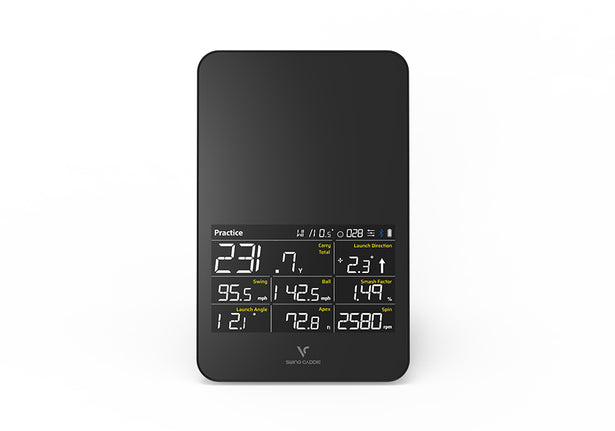
- Tracks 9 key launch metrics: — carry, total, swing speed, ball speed, smash, launch, apex, direction & spin.
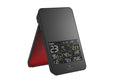
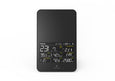
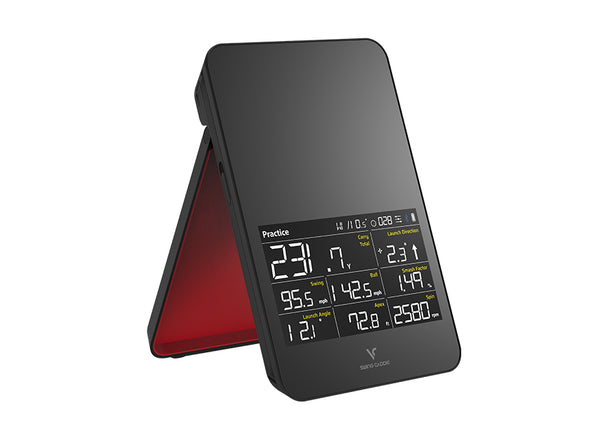
- Built-in display & voice output: for phone-free range sessions.
- Doppler radar precision: — sits 5 ft behind the ball; works indoors & outdoors.
- Simulator-ready: — VoiceCaddie S, E6 Connect & OptiShot Orion compatible.
- 10 free Paul Wilson video lessons: sent to your inbox with every SC4 PRO purchase.
Swing Caddie SC4 PRO Launch Monitor and Golf Simulator
The Swing Caddie SC4 PRO gives golfers a portable Doppler radar launch monitor with a built-in display, voice feedback, and entry-level simulator capability in one compact unit. Use it at the range without a phone, or connect it to the free VoiceCaddie S app for deeper shot analysis, swing video, and practice sessions.
At $499, the SC4 PRO is built for players who want more than a basic distance monitor but do not need a multi-thousand-dollar camera system. It measures carry distance, total distance, swing speed, ball speed, smash factor, apex, launch angle, launch direction, and spin rate — enough data to dial in yardages, compare clubs, and build a realistic home practice setup.

Watch the SC4 PRO in Action
See the SC4 PRO platform in use and walk through E6 Connect setup for simulator play.
SC4 Launch Monitor and Golf Simulator Overview
SC4 x E6 Connect Account Setup
Get 10 Free Lessons from Paul Wilson
Every SC4 PRO purchase includes 10 free golf lessons from Paul Wilson — creator of The Body Swing and IgnitionGolf.com — delivered straight to your inbox. Pair the lessons with your launch data for both swing mechanics and post-shot feedback.

Which Voice Caddie is Right for You?
All three Voice Caddie launch monitors use Doppler radar in a portable form factor. Pick the one that matches how (and where) you practice.

SC200 Plus
From $279.99
No app, no Bluetooth — just voice carry distance and 4 practice modes. The lowest-cost Voice Caddie launch monitor.
4 metrics · No app · AAA batteries
View SC200 Plus →
SC300i
From $399.99
Adds launch angle and apex on-device. Spin rate and video overlay in the MySwingCaddie app. Bluetooth + USB-C rechargeable.
6 metrics on-device + spin in app · 5.3" LCD
View SC300i →
SC4 PRO
From $499
Full simulator capability with VoiceCaddie S app and E6 Connect support. Adds spin rate, launch direction, and home-sim ready.
9 metrics · E6 Connect · Simulator-ready
You're Viewing ThisPortable Practice Data Without a Complicated Setup
9 Key Data Points
Track the numbers most golfers actually use: carry, total distance, swing speed, ball speed, smash factor, apex, launch angle, launch direction, and spin rate.
Standalone Display
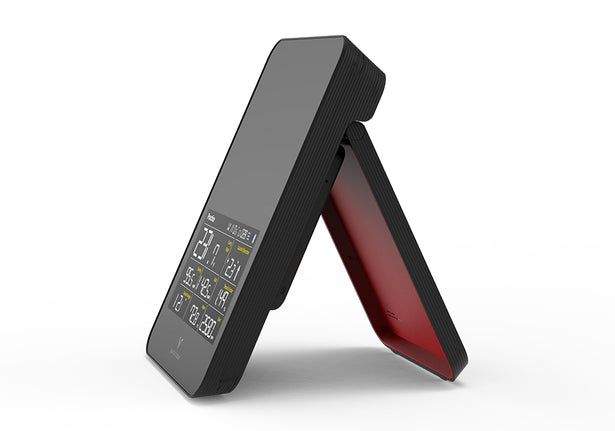
Practice outdoors with the built-in display and voice output. You can get immediate shot feedback without needing to keep your phone open after every swing.
Simulator Ready
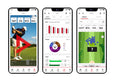
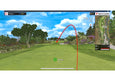
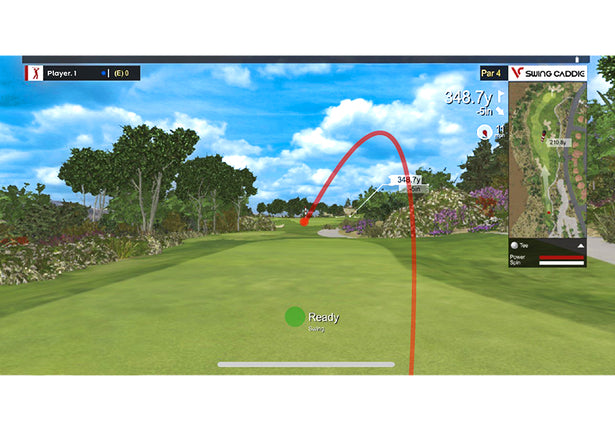
Connect to the free VoiceCaddie S app for virtual range visuals, shot data, and simulator-style practice. SC4 PRO also supports E6 Connect (iOS and PC) for expanded play options; E6 Connect adds photorealistic courses and simulator gameplay beyond the VoiceCaddie S practice range.
10-Hour Battery
The rechargeable 7,500 mAh lithium-ion battery is rated for approximately 10 hours depending on conditions, enough for range sessions and portable simulator use.
Swing Video in the App
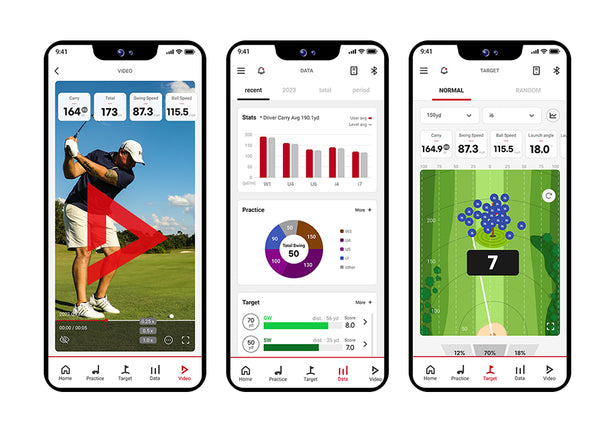
The VoiceCaddie S app can record swings, sync shot data to video, and create overlays so you can connect ball flight numbers with what your swing is doing.
Fast Range Workflow
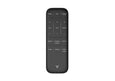
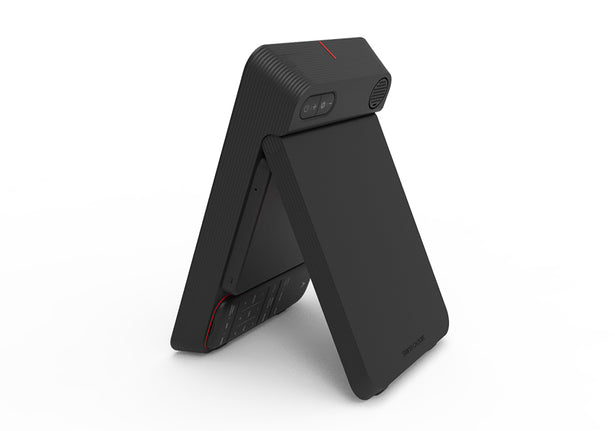
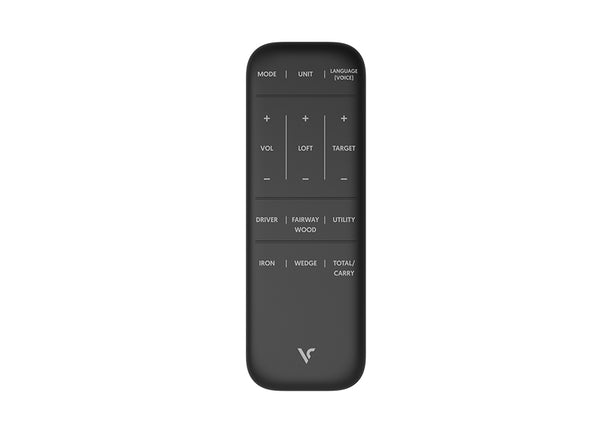
Set the unit about 5 feet behind the ball, select your club, and hit. The magnetic remote and voice feedback keep practice moving.
What the SC4 PRO Measures and Why It Matters
The SC4 PRO uses Doppler radar to track the ball in flight and report the numbers golfers need for club gapping, launch optimization, and simulator practice. It is not a tour-level club-tracking system, but it gives a strong portable data set for practice and home use.
Ball Flight Data
Carry distance, total distance, launch angle, launch direction, apex, ball speed, and spin rate help you understand how the ball is actually flying. Use these numbers to dial in club distances, compare ball flights, and see whether launch and spin are helping or costing you distance.
Club Delivery Feedback
Swing speed shows how fast the club is moving, while smash factor (ball speed divided by club speed) helps show how efficiently you transferred energy to the ball. Together, they make speed training and strike-quality work more measurable.
SC4 PRO Placement for Range and Indoor Simulator Use
The SC4 PRO is designed to sit 5 feet behind the ball on the same level as the hitting surface. For indoor net or screen setups, Voice Caddie recommends roughly 10 feet from the ball to the net or impact screen. That makes it easier to fit than many radar units that need a longer indoor ball flight window.
Compare golf launch monitors | View the SC4 PRO home simulator package

Is the SC4 PRO Right for Your Practice Setup?
Range Practice Golfers
You want reliable yardage feedback and speed numbers without pulling out your phone after every shot. The standalone display and voice output make the SC4 PRO a strong range companion.
First Home Simulator Builds
You are building a garage or basement practice space and want simulator capability without jumping straight to a premium camera system.
Club Gapping Sessions
You need carry distance, total distance, launch, spin, and speed data to tighten up club selection and make more informed equipment decisions.
Portable Practice Setups
At just over 20 ounces with a rechargeable battery, the SC4 PRO is easy to move between the range, backyard net, garage, and travel bag.
Carry, total distance, swing speed, ball speed, smash factor, apex, launch angle, launch direction, and spin rate — the core numbers golfers need to gap clubs, compare swings, and practice with purpose.
Swing Caddie SC4 PRO Key Specifications

SC4 PRO vs Other Portable Launch Monitors
The SC4 PRO is the portable option for golfers who want range-friendly standalone feedback plus simulator capability. It gives you more home-sim flexibility than the SC300i, less app dependence than Garmin or Rapsodo, and a stronger practice feature set than basic pocket radars.
| Feature | SC4 PRO | Garmin R10 | Rapsodo MLM2PRO | SC300i |
|---|---|---|---|---|
| Price | $499 | $499.99 | $699.99 | $399.99 |
| Technology | 24 GHz Doppler Radar | Doppler Radar | Radar + Camera | Doppler Radar |
| Core Metrics | 9: carry, total, speed, smash, launch, apex, direction, spin | App-based launch data | Launch data + video feedback | Distance, speed, smash, launch, apex |
| Standalone Display | Yes | No | No | Yes |
| Phone Required? | No for basic range use | Yes for most features | Yes for most features | No for basic range use |
| Simulator Capability | VoiceCaddie S, E6 Connect | Garmin Golf ecosystem | App-based simulator features | No |
| Swing Video | Yes, through VoiceCaddie S app | Limited / app dependent | Yes, major strength | Yes, through app |
| Battery | Rechargeable 7,500 mAh, approx. 10 hrs | Rechargeable | Rechargeable | Rechargeable |
| Indoor Setup | 5 ft behind ball; approx. 10 ft ball-to-screen recommended | Needs enough ball flight for radar reads | Compact camera/radar setup | Best as range/practice monitor |
| Best For | Golfers who want portable range data plus entry simulator use | Garmin users who want app-centered simulation variety | Golfers prioritizing video and app analysis | Basic distance/speed practice without simulator play |
How to Get the Best Results from SC4 PRO
Level the Unit
Place the SC4 PRO on the same level as the hitting surface so the radar reads the ball flight from the correct angle.
Align Behind the Ball
Set the unit approximately 5 feet behind the ball and align the ball with the red mark on top of the unit.
Give Indoor Shots Space
For screen or net use, plan for roughly 10 feet of ball flight from impact to screen when possible.
Keep It Charged
A full charge takes about 6 hours from drained and gives approximately 10 hours of use depending on conditions.
Use Standard Golf Balls
Voice Caddie notes the SC4 PRO is not designed to assess non-standard golf balls, so use regular golf balls for best data quality.
Pair the App for More
Use the VoiceCaddie S app when you want shot graphs, history, swing video overlays, and virtual range sessions.
Portable range data. App-based practice. Entry-level simulator play.
In stock. Free shipping. VoiceCaddie S app compatibility. Affirm financing available.
Add to Cart — $499Learn More About Launch Monitors
Where the SC4 PRO fits in the portable launch monitor market, and how to choose the right data set for your range, garage, or simulator build.
Best Golf Launch Monitors Under $3,000 (2026)
From $229 pocket radars to $3,000 photometric systems — which tier of launch monitor fits your setup, budget, and goals.
From Amateur to Pro: How Launch Monitors Elevate Your Game
The launch monitor primer every golfer should read — how radar, camera, and hybrid systems work, what ball and club data reveal, and why objective numbers beat range guesswork.
Your Purchase is in Good Hands
Voice Caddie Dealer
Verified Reviews
Shipping
1-888-871-6110
Available
From the moment you first contact us, we offer the advice and service to help you choose the right launch monitor for your practice space, budget, and simulator goals.
Frequently Asked Questions
The SC4 PRO measures carry distance, total distance, swing speed, ball speed, smash factor, apex, launch angle, launch direction, and spin rate.
Yes. Spin rate is part of the SC4 PRO data set, along with launch angle, launch direction, apex, carry distance, total distance, ball speed, swing speed, and smash factor.
Yes. The SC4 PRO has a built-in display and voice output, so you can use it as a standalone launch monitor for basic range practice without keeping a smartphone connected.
Yes. It can be used indoors or outdoors. For indoor net or screen setups, Voice Caddie recommends placing the unit 5 feet behind the ball and allowing roughly 10 feet from ball to net or screen.
The SC4 PRO works with the VoiceCaddie S appis compatible with E6 Connect on iOS and PC. Voice Caddie lists complimentary E6 access with 5 courses and 1 driving range; expanded software or courses may require optional subscriptions.
Voice Caddie lists five complimentary E6 Connect courses: Aviara Golf Club & Resort, Bandon Dunes, Stone Canyon Club, Sanctuary, and Wade Hampton Golf Club, plus one driving range.
Place the SC4 PRO approximately 5 feet behind the ball, on the same level as the hitting surface, aligned with the ball and target line.
The rechargeable 7,500 mAh lithium-ion battery is rated for approximately 10 hours depending on conditions. A full charge from drained takes about 6 hours.
For simulator use, yes. The SC300i is a simpler portable practice monitor, while the SC4 PRO adds simulator capability, app-based visual practice, spin rate, and a broader feature set for indoor and outdoor use.
Yes. Affirm financing is available at checkout for qualified buyers, allowing you to split your purchase into monthly payments.
Voice Caddie provides a one-year limited warranty against defects in materials and workmanship. Top Shelf Golf follows our standard return policy for eligible new-condition products; contact us before ordering if you have a specific return or setup concern.
Not sure whether the SC4 PRO is the right fit? Browse all golf launch monitors or call us at 1-888-871-6110.
