






By placing an order, you are agreeing to our privacy policy and terms of service.
- 2 Swing Cameras Included: Dual ProTee high-speed cameras built in with A.I. tracking
- A.I. Ceiling-Mounted: No floor sensors, no stickers, no subscription fees
- 24 Data Points: Full ball, club, and flight data measured
- < 0.3s Response: Strike to on-screen data feedback
- 25" x 21" Hitting Zone: Customizable, no markers required on the ball
- GSPro + TGC 2019: ProTee Labs included free; major simulators sold separately
ProTee VX Golf Launch Monitor & Golf Simulator
The ProTee VX is a machine-vision and A.I.-powered ceiling-mounted launch monitor that captures 24 ball, club, and flight data points with dual high-speed cameras. At $6,500, it delivers full club data and built-in IR tracking without subscription fees or club stickers.
25" x 21" hitting zone mounted overhead means no floor sensors and instant left/right switching. The VX reads the ball and club in the space between your hitting mat and the unit, with less than 0.3 seconds from strike to data feedback. Includes ProTee Labs software, GSPro integration, and 24/7 global support.
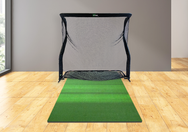
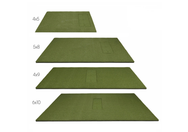
Want everything bundled? The ProTee VX all-in-one golf simulator package adds a Carl's Place DIY enclosure with triple-layer impact screen, side nets and safety baffles, a Fiberbuilt 8' x 4' performance turf with landing pad, and an Optoma 1080p laser projector with ceiling mount -- a complete turnkey bay starting at $11,399.
FREE 2 ProTee Swing Cameras included with every ProTee VX -- dual high-speed cameras built into the unit at no extra cost, no add-on bundle to buy.

ProTee VX Overview
A walkthrough of the ceiling-mounted ProTee VX, its dual high-speed cameras, and the ProTee Labs software experience.
What Sets the ProTee VX Apart
Ceiling-Mounted Overhead Tracking
No floor sensors, no stickers on your ball or club, and no fixed distance to the impact screen. The VX reads ball and club between your mat and the unit, keeping your bay clean and player-friendly.
2 ProTee Swing Cameras Included
The VX ships with two ProTee high-speed cameras built in -- machine vision plus A.I. delivers full ball, club, and flight data in milliseconds. Built-in IR illumination means no external lighting is required.
Less Than 0.3s Response
Strike to on-screen data in under 0.3 seconds. Every shot reads instantly so you stay in rhythm during practice or a round.
No Stickers or Markers
The VX tracks club data without reflective stickers and reads spin from your ball's dimple pattern. Play with regular golf balls -- no special equipment.
Lefty & Righty Ready
Overhead mounting plus instant right-to-left switching means no recalibration between players. Built for shared bays and multi-player households.
No Subscription Fees
All ball, club, and flight data are included with the unit. ProTee Labs ships free, with ongoing updates and A.I.-powered improvements -- no per-feature unlocks.
Is the ProTee VX Right for Your Setup?
Dedicated Home Simulator Builder
You want a clean ceiling-mounted bay with no clutter on the floor and consistent ball positioning. The VX mounts cleanly once installed and stays out of the way.
Data-Driven Player
You analyze every swing. Club path, face angle, attack angle, dynamic loft, and impact point -- the VX captures the full club and ball picture.
Shared Bay or Coaching Studio
Multiple user profiles and fast switching between players make the VX a fit for households with several golfers or for coaches running back-to-back sessions.
GSPro or TGC 2019 User
The VX integrates with GSPro and TGC 2019 -- so you can play thousands of virtual courses with full club and ball data feeding the simulator.
What the ProTee VX Tracks on Every Shot
Every ball metric measured by dual high-speed cameras and A.I.-powered spin tracking -- no algorithms estimating from incomplete data.
Full Swing Analysis on Every Swing
All club data points included at no extra cost -- no subscriptions, no unlock fees, no stickers on your clubs.
The Full Picture of Every Ball Flight
Carry, total distance, peak height, descent angle, and ball flight path -- the data you need to plan club selection.
Play on Pro-Level Simulator Software
Every ProTee VX ships with ProTee Labs -- the dedicated practice and shot-analysis platform -- and integrates with the major Windows simulator games (sold separately):
- Included: ProTee Labs -- practice range, bag mapping, dispersion circles, wedge matrix, shot recording, and statistics tracking
- GSPro (sold separately) -- thousands of community-built courses, the most popular VX simulator pairing
- TGC 2019 (sold separately) -- The Golf Club simulator with extensive course library
- Dual-screen support -- run ProTee Labs analytics on one display while the simulator runs on another
- Continuous updates -- ProTee pushes new features and A.I.-powered improvements at no additional cost

From the moment the ball leaves the face, you have full data on screen in less than three-tenths of a second -- so practice stays in rhythm and on-course rounds in GSPro or TGC 2019 feel natural.
ProTee VX vs Other Overhead Launch Monitors
How the ProTee VX stacks up against other ceiling-mounted launch monitors at and above its price point.
| Feature | ProTee VX ($6,500) | Uneekor EYE XR ($5,499) | Uneekor EYE XO2 ($8,999) | Foresight Falcon ($15,999) |
|---|---|---|---|---|
| Technology | A.I. + dual high-speed cameras | 3 IR cameras with A.I. tracking | 3 high-speed IR cameras | Quadrascopic (4 cameras) |
| Placement | Ceiling-mounted overhead | Rear overhead | Overhead | Overhead |
| Hitting Zone | 25" x 21" | 13.7" x 11.8" | 28" x 21" | 59" x 28" (ball) / 11" x 11" (club) |
| Data Points | 24 | 19 | 19 | 16+ |
| Club Tracking | No stickers required | A.I. tracking (no stickers) | Club stickers required | Stickers required |
| Ball Tracking | A.I. + dimple-based spin (any standard ball) | Dimple Optix (any ball) | Non-marked ball tech | Photometric (any ball) |
| Response Time | < 0.3 seconds | N/A | N/A | N/A |
| Connectivity | USB 3.0 via Cat6 Ethernet adapter | Power over Ethernet (single cable) | Ethernet (Cat6) | Ethernet, USB-C, or Wi-Fi |
| Ceiling Height | 9 ft min (10 ft optimal) | 9' - 10' | 9' - 10.5' | 9.5' - 10.5' |
| Included Software | ProTee Labs | Launcher Software | View Software | FSX Play included |
| L/R Switching | Instant | Instant | Instant | Instant |
| Subscription Fees | No | Tiered (Pro/Champion/Ultimate) | Tiered (Pro/Champion/Ultimate) | No (FSX Play included) |
| Best For | Full data + no stickers under $7K | Sticker-free Uneekor entry into overhead | Largest hitting zone in the Uneekor lineup | Tour-level accuracy, biggest ball zone |
ProTee VX Specifications

ProTee VX Room Dimensions
The VX mounts to the ceiling directly above the hitting area. Mount geometry is measured from the top of the ceiling mount (where the VX hangs) to the top of the hitting surface, and from the center of the mount to the center of the hitting area.
Room width and depth depend on swing clearance, your screen, mat, and projector setup -- not the VX sensor alone. Contact us at 1-888-871-6110 if your ceiling is borderline or if you are mounting on a sloped or rail-style structure.

In the Box
Everything you need to mount, calibrate, and start hitting the day the VX arrives.
Getting Started with Your ProTee VX
A clean one-time install plus a guided first calibration. Most owners get through both in an afternoon.
Mount the Bracket
Position the included black stainless steel mount on the ceiling with the arrow pointed at the impact screen, parallel to the screen. Use the supplied 4 screws and plugs.
Slot In the VX
Best done with two people. Align the VX with the mount openings, lift, and slide left until the index plunger clicks into place.
Cable and Power
Plug the C13 cord into your wall outlet. Run the included Cat6 cable from the VX to your PC (use the included USB 3.0 Ethernet adapter on a blue USB3 port if your network is hardwired).
Install ProTee Labs
Download ProTee Labs from the official ProTee link, install, and enter the activation code Top Shelf Golf provides with your order. The code unlocks ProTee Labs and ties it to your system.
Calibrate the Cameras
Place the calibration plate flat in the hitting area, level it with the included bubble level, then click Calibrate System in ProTee Labs. Define your play area and you're done -- recalibrate any time if results drift.
Start Hitting
Press the red power switch on the back of the VX, open ProTee Labs (or GSPro / TGC 2019), and the unit auto-detects shots in your defined hitting area.
24 Data Points. A.I. Vision. Ceiling-Mounted Freedom.
Ships free via UPS. Lead time approximately 4 weeks. Financing available through Affirm.
Add to Cart | $6,500Learn More About ProTee & Overhead Launch Monitors
Explore our guides on overhead launch monitors, GSPro setup, and how the VX compares to other ceiling-mounted systems.
ProTee VX vs Uneekor EYE XO2
Head-to-head: $4,499 price gap, hitting zone, club stickers vs sticker-free, and 5-year software economics.
ProTee VX Review 2026: A.I. Ceiling-Mounted Launch Monitor Tested
The full review: 24 data points, accuracy, software, room requirements, and how the VX compares to the Uneekor EYE XR and EYE XO2.
How to Use GSPro with the ProTee VX
License conversion, ProTee Labs setup, GSPro API, PC specs, VSync, and fixes for the most common first-session errors.
Best Overhead Launch Monitors for Golf Simulators (2026)
Every overhead launch monitor compared -- ProTee, Uneekor, Foresight, and Full Swing -- ranked by accuracy, data, and value.
Best Simulator Software for Launch Monitors
GSPro, E6 Connect, TGC 2019, and more -- which simulator software works best with overhead launch monitors and what each one offers.
Overhead Golf Launch Monitors for Home Use
Why overhead-mounted launch monitors are ideal for home simulators and which models lead the category in 2026.
Best Golf Balls for Golf Simulators
Match the right golf ball to your launch monitor -- including dimple-based spin tracking systems like the ProTee VX.
Best Projectors for Garage Golf Simulators
Pair your VX with the right projector for your bay -- ambient light handling, throw distance, and lumens demystified.
Your Purchase is in Good Hands
1-888-871-6110
From the moment you first contact us, we offer the very best advice and service to find the right product at the right price. We do not just sell boxes -- we help you build the sim room you have been planning.
Frequently Asked Questions
The VX uses two high-speed cameras paired with machine vision and A.I. The cameras read the ball off the face -- including dimple pattern for spin -- and track the club face and path without any reflective stickers. Shot data is on screen in less than 0.3 seconds.
The ProTee VX tracks 24 ball, club, and flight data points. These include ball speed, total spin, spin axis, back spin, side spin, launch direction, launch angle, club speed, swing path, club face angle, club face to path, attack angle, dynamic loft, club lie angle, impact point (vertical and horizontal), flight path, apex height, apex time, total distance, carry distance, off line, air time, run, and descent angle.
No. The VX tracks ball and club data without markers or stickers, and it reads spin from the dimple pattern of any standard golf ball. ProTee recommends avoiding balls with a glittery coating (for example, Srixon Z-Star), and standard tour-level balls like the Titleist Pro V1 are a typical choice. For best wedge spin reads, avoid glittery or highly reflective ball covers that can interfere with dimple-based spin tracking.
Minimum 9 feet (2.75 m) measured from the top of the ceiling mount to the top of the hitting surface. ProTee considers 10 feet (3.05 m) optimal. Sloped ceilings are not supported. Call us at 1-888-871-6110 if your ceiling is borderline or non-standard and we can advise on your specific space.
ProTee Labs ships free as the dedicated practice and shot-analysis platform (driving range, bag mapping, dispersion circles, wedge matrix, statistics tracking). For course play, the VX integrates with GSPro and TGC 2019 (sold separately). All software runs on a Windows PC.
No. All ball, club, and flight data are included with the unit. ProTee Labs has no recurring software fees, and ProTee pushes ongoing updates and A.I.-powered improvements at no additional cost. Third-party simulator software like GSPro or TGC 2019 is sold separately.
A Windows PC with USB 3.0 and a wired Ethernet connection. ProTee's published minimum is 64-bit Windows 10, Intel Core i7-8xxx @ 3.00 GHz or AMD equivalent, and 8 GB RAM. For GSPro at 4K, ProTee recommends an NVIDIA RTX 3080 or better, 32 GB RAM, and 20 GB of storage. macOS, iOS, Android, and Linux are not supported.
Less than 0.3 seconds. Every shot reads instantly so practice stays in rhythm and on-course rounds in GSPro or TGC 2019 feel natural.
Yes. Because the VX is overhead-mounted, both right- and left-handed players can step up and hit without moving or recalibrating the unit. ProTee Labs also supports multiple user profiles and fast switching between players.
The ProTee VX is $6,500 at Top Shelf Golf. The price includes the ceiling-mounted launch monitor with two built-in ProTee swing cameras, ProTee Labs software, the calibration plate, ceiling mounting plate, 10 m Cat6 network cable, USB-to-Ethernet adapter, bubble level, C13 power cord, and mounting hardware.
Yes. The ProTee VX integrates with GSPro on a Windows PC -- one of the most popular simulator pairings for the VX. GSPro is sold separately from the launch monitor.
The ProTee VX unit measures 83 x 20 x 17 cm (L x W x H) and weighs 9.4 kg (20.7 lbs). The included ceiling mounting plate measures 43.1 x 15.2 x 2.3 cm and weighs 1.2 kg (2.6 lbs). Boxed dimensions are 94 x 26 x 29 cm.
ProTee officially lists ProTee Labs, GSPro, and TGC 2019 as supported software for the VX. E6 Connect and Awesome Golf are not on ProTee's current official compatibility list -- if either is critical to your setup, contact ProTee or the software publisher to confirm before purchasing.
Both are sticker-free ceiling-mounted launch monitors near the same price tier. The Uneekor EYE XR uses three IR cameras with A.I. tracking, has a smaller 13.7" x 11.8" hitting zone, ships with a free Launcher Software tier, and offers paid Uneekor software upgrades. The ProTee VX uses dual high-speed cameras with A.I., has a larger 25" x 21" hitting zone, ships with ProTee Labs (no subscription tiers), and integrates with GSPro and TGC 2019.
No. The ProTee VX has built-in IR illumination, so no external lighting is required for tracking. Just position the unit in the included ceiling mount and start hitting.
The install is straightforward but ProTee recommends two people for the mount step -- one person to lift the unit into the ceiling bracket while the other ensures it slides into the index plunger. All required cables, the mounting plate, and hardware are included. Many owners do the install themselves; sim builders sometimes use a professional installer for the bracket.
Yes. Top Shelf Golf offers financing through Affirm with flexible monthly payment options. Select Affirm at checkout to check your rate -- it takes seconds and will not affect your credit score. 0% APR options may be available depending on eligibility.
Warranty: ProTee United provides a one-year limited warranty covering defects in materials and workmanship under normal use. This warranty does not cover damage from accident, misuse, outdoor use, abuse, or negligence.
Returns: All ProTee VX sales are final. No returns will be accepted. Top Shelf Golf is an authorized ProTee dealer, and the manufacturer warranty is fully honored from the date of original purchase.
Building a complete simulator? Browse all launch monitors, pair with simulation software, an enclosure, a projector, and a hitting mat -- or call us at 1-888-871-6110 for a personalized recommendation.
