

The Flightscope Mevo Gen 2 works perfect for my outdoor setup. I have a bout 10' of ball flight and the numbers are what I expect. I also like being able to take this launch monitor to the range to get numbers.


By placing an order, you are agreeing to our privacy policy and terms of service.
 Complete Package
FlightScope X3C DIY Enclosure Golf SimulatorLaunch monitor + enclosure + screen + mat + projector
From $17,261.90 →
Complete Package
FlightScope X3C DIY Enclosure Golf SimulatorLaunch monitor + enclosure + screen + mat + projector
From $17,261.90 →
FlightScope X3C Golf Launch Monitor uses patented FlightScope Fusion Tracking technology to provide golfers, instructors, and club fitters with accurate golf performance data. Fusion Tracking technology is an advanced combination of 3D Doppler tracking radar technology and synchronized high speed image processing that helps provide users with the most accurate and consistent data for every shot - indoors and outdoors. Using cutting edge aerospace materials, each X3C tracking radar is individually hand-made with carefully selected materials by dedicated, trained, and specialized artisans. No two carbon fiber shells are alike, and each are individually crafted to exact standards normally reserved only for the aerospace industry.
| Club Data: | |
|---|---|
| Club Speed | ✓ |
| Angle of Attack | ✓ |
| Spin Loft | ✓ |
| Club Speed Profile | ✓ |
| Club Acceleration Profile | ✓ |
| Club Path | ✓ |
| Face to Path | ✓ |
| Face to Target | ✓ |
| Dynamic Loft | ✓ |
| Horizontal Swing Plane | ✓ |
| Vertical Swing Plane | ✓ |
| Low Point | ✓ |
| Ball Data: | |
|---|---|
| Carry Distance | ✓ |
| Total Distance | ✓ |
| Smash Factor | ✓ |
| Spin | ✓ |
| Ball Speed | ✓ |
| Spin Axis | ✓ |
| Vertical Launch Angle | ✓ |
| Horizontal Launch Angle | ✓ |
| Roll Distance | ✓ |
| Lateral Landing | ✓ |
| Shot Dispersion | ✓ |
| Skills Distance To Pin | ✓ |
| Skills Score | ✓ |
| Launch Direction | ✓ |
| Vertical Descent | ✓ |
| Apex Height | ✓ |
| Flight Time | ✓ |
| Shot Type | ✓ |
| Curve | ✓ |
| Putting Data: | |
|---|---|
| Putter Path | ✓ |
| Putter Face to Target | ✓ |
| Putter Face to Path | ✓ |
| Launch Speed | ✓ |
| Launch Direction | ✓ |
| Total Distance | ✓ |
| Distance to Pin | ✓ |
| Lateral Position | ✓ |
| Putter Head Speed | ✓ |
| Smash Factor | ✓ |
| In Miss Range | ✓ |
| Skid Distance | ✓ |
| Roll Distance | ✓ |
| Chipping Data: | |
|---|---|
| Launch Speed | ✓ |
| Launch Direction | ✓ |
| Total Distance | ✓ |
| Distance to Pin | ✓ |
| Lateral Position | ✓ |
| Club Head Speed | ✓ |
| Smash Factor | ✓ |
| In Miss Range | ✓ |
| Roll Distance | ✓ |
FlightScope places the X3C behind the tee at the setback its current setup guidance calls for and asks for at least 8 ft of ball flight.
Our pick: the Pro Enclosure, at 20 ft of room depth with the X3C behind the ball.
Enter your own room width, depth and ceiling in the golf simulator builder: sizes that do not fit stay visible, grayed out with the reason, or read the golf simulator room size guide first.
iOS
Minimum:
System: iOS 17 or newer
iPad: 8th gen+ / mini 6th gen+ / air 5th gen+ / pro 4th gen+
iPhone: XR / XS / 11+
Recommended:
System: iOS 18
iPad : iPad Pro 6th or 7th gen
iPhone : 15 Pro / 16 Pro +
Android
Minimum:
System: Android 12 or newer
Processor: Snapdragon 865 / Exynos 990 or equivalent
RAM: 8 GB
Recommended:
System: Android 12 or newer
Processor: Snapdragon 8 Gen 1 / Exynos 2200 or equivalent
RAM: 12 GB or more
Windows:
Minimum:
OS: Win 10 or 11 (64 bit)
CPU: Intel Core i3-13100/ Ryzen 5 5560 (or higher)
RAM: 8GB DDR4 (or higher)
Hard-drive: 128GB (at least 10GB of free memory)
Recommended:
OS: Win 10 or 11 (64 bit)
CPU: Intel Core i5-10210/ Ryzen 5 5600 (or higher)
RAM: 16GB DDR4 (or higher)
GPU: Intel UHD Graphics/ Radeon Graphics or better Compatible with DirectX 11
Hard-drive: 256GB (at least 10GB of free memory, SSD drive recommended)
All six of our formats: Net, Floating Screen, DIY Enclosure, Pro Enclosure, Curved Screen and Built-In Screen. The X3C sits on the floor behind the tee at the setback its current setup guidance calls for, so nothing has to be mounted to the enclosure. For room depth, the Pro Enclosure and the Curved Screen need 20 ft and the Carl's DIY kit needs 20 ft 9 in.
The X3C sits on the floor behind the tee at the setback its current setup guidance calls for and asks for at least 8 ft of ball flight. The Pro Enclosure and the Curved Screen need 20 ft, up from 16 ft 0 in on their own, and the Carl's DIY kit needs 20 ft 9 in, up from 16 ft 9 in. Carl's plans a Built-In room as 12 in behind the screen for buffer space plus 6 in to install the flaps, at least 10 ft from the screen and 7 ft of swing room in every direction. For a net build, allow at least 8 ft of ball flight; check the specific net you pick for its own frame depth.
Yes, at the same 20 ft the Pro Enclosure needs with the X3C behind the ball.
FlightScope Warranty:FlightScope X3C launch monitor is covered by a 12-month limited warranty.
FlightScope Return Policy:
FlightScope hardware may be returned for a refund within 30 days of the date of receipt, less shipping, and any applicable restocking fees. Product(s) must be returned to FlightScope in the same condition as it was received and with all of its original packaging (Including boxes, bags, accessories, etc.). Customer assumes the risk of loss and is responsible for shipping and handling fees for returning/exchanging a product. Unless the product is defective or the return is a direct result of a FlightScope error, FlightScope will charge a restocking fee of 3% of the purchase price paid for FlightScope product(s), plus any applicable sales tax; Unless otherwise prohibited by law.
.
Setup requirements for Putting and Chipping:
| Basic TruGolf E6 Connect |
|---|
 |
| TruGolf E6 Connect is a high-quality, customizable golf simulation software integrated with FlightScope X3C to provide an accurate improvement and gaming experience. E6 Connect features stunning 4k graphics and more flexibility, customization and control than ever before. |
|
| Learn more about Basic E6 |
| Expanded TruGolf E6 Connect |
|---|
 |
| E6 Connect is a high-quality, customizable golf simulation software integrated with FlightScope X3 to provide an accurate improvement and gaming experience. Expanded subscription features golf courses and gives you access to more content. |
|
| Learn more about Expanded E6 |
| The Golf Club 2019 |
|---|
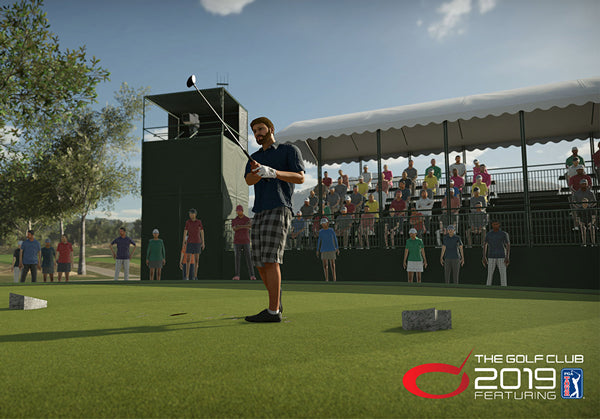 |
| TGC 2019 is a unique golf simulation option integrated with FlightScope X3. The software allows users to choose from over 150,000 golf courses, golf course design, the ability to compete in online tournaments, and more! |
|
| Learn more about TGC 2019 |
Please click here to view a detailed side-by-side comparison of all FlightScope golf simulator packages.
View and analyze the precise location of face impact to work on accuracy and consistency with wedges, irons, and woods. Compare face impact with shot data and video to improve performance.
A complete and customizable mobile app allowing users to teach, fit, and practice with radar data, video capabilities, 3D trajectories, and more.
Improve your skills or evaluate your players with the most advanced and customizable combine assessments available.
A fully customizable interface combining data and video on one screen. Enjoy custom lesson recordings with access to a variety of drawing tools and screencast with voiceover to get instant, shareable, visual and audible feedback after each lesson.
Accurately measure short game data parameters for complete lessons and overall game improvement.
Challenges in the FS Golf App give users the ability to practice with a purpose and test their skills. Enjoy interactive games aimed to help users with distance control, consistency, speed training, and more.
FlightScope X3C Golf Launch Monitor
Warranty
We're proud to say we are an Authorized Dealer/Distributor for all the brands we carry. All our products come directly from the manufacturer and are covered by the Manufacturer's Warranty from the date of the original purchase, subject to the conditions and limitations.
FlightScope X3C launch monitor is covered by a 12-month limited warranty.
Returns
FlightScope hardware may be returned for a refund within 30 days of the date of receipt, less shipping, and any applicable restocking fees. Product(s) must be returned to FlightScope in the same condition as it was received and with all of its original packaging (Including boxes, bags, accessories, etc.). Customer assumes the risk of loss and is responsible for shipping and handling fees for returning/exchanging a product. Unless the product is defective or the return is a direct result of a FlightScope error, FlightScope will charge a restocking fee of 3% of the purchase price paid for FlightScope product(s), plus any applicable sales tax; Unless otherwise prohibited by law.
We want you to be happy with your purchase and enjoy it for many years to come. If you decide you want to return your product, we will gladly assist you in the process. Please inspect your purchase when your package arrives. Product received damaged must be noted with the freight carrier at the time of delivery. Contact us immediately no later than 24 hours from delivery time to report the damage. We cannot accept responsibility for a damaged shipment if it is not noted as such on the freight carrier's delivery receipt. Damage must be noted at the time of delivery.
For additional details about our return process & exceptions for all the items included in the package please see our Return Policy.
FREE Shipping: Shipping is FREE within the contiguous 48 states on most products over $150 (some exceptions apply). We do not ship to Alaska, Hawaii or Puerto Rico.
Authorized Dealer: We're proud to say we are an Authorized Dealer/Distributor for all the brands we carry. All products sold come directly from the manufacturer.
100% Safe & Secure Checkout: We transmit website data over an encrypted SSL connection to ensure that your credit card information is 100% protected.
Excellent Customer Service: Questions? We are here for you! From the moment you first contact us, we will offer you the very best advice and service to find the item you need at the price that suits you. Please call us 1-888-871-6110 at any time!
Overall rating: 4.8 / 5 from 222 reviews.
The Flightscope Mevo Gen 2 works perfect for my outdoor setup. I have a bout 10' of ball flight and the numbers are what I expect. I also like being able to take this launch monitor to the range to get numbers.

Love it thanks for all your help you guys are great

Just got chance to try Mevo+ I got as retirement gift after 32 years with my company. Was quickly able to set it up in an open field and practice chipping. Great device and can’t wait to explore all of the features including virtual courses.

After getting Mevo+ w/Pro package up and running, have really enjoyed comparing the numbers in app to real life. All in all it is pretty accurate. The plan is to have this available for the grandkids so they can learn to enjoy the game of golf

Works great! Simple set up and easy to retract once finished. Super thrilled with the feel of the fiberbuilt mat and projector floor cover as well. Image is clean and easy to get started. Highly recommend.
Great customer service, quick and easy to work with, equipment is great as well!

The Mevo+ is a great tool whether you are just starting out with golf or trying to keep your swing smooth in the winter. Mevo+ has many great features whether you are trying to just hit the range or play a few rounds with your buddies. Super glad I decided to purchase one of these. It is going to be a great tool as I continue to try and lower my score on the course!
Frgjkgdthvd

Ordered the perfect bay w/ flightscope Mevo+, Fiberbuilt hitting mat and optoma projector. Couldn't be more happy with my purchase. Strongly suggest buying the premium E6 software subscription just make sure you have the right PC and pay for high quality HDMI cable. You won't regret kt
My Mevo+ works great, it was easy to setup and has definitely helped improve my game!

Love it when you can try different swings and get a good feedback instantly on distances. Anyone who plays golf should have this!
I used the Flight Scope at the golf dome. It was very easy to set up using my smartphone. After placing it behind me and putting my smartphone on the floor next to me, it was easy to view my clubhead speed, ball speed, carry distance, etc. I found it very valuable in giving me feedback when I made swing changes as I try and get prepared for the next golf season. It reinforced what I was seeing from the ball flight in the dome. My nephew also used it and, being a much better golfer than I am, found it invaluable as he made minor changes to his swing and could see the results immediately. Great product and loved the price.

We have played on other systems , such as trac man, this system is so much more graphic

Overall could not be happier with the purchase. I have friends that use a cheap net or bay. I would not recommend it. A screen that has wrinkles in it gives a horrible picture. The hitting mat is a 4x9. Perfect for a right and lefty. Mevo works great. Very happy
A++++++

I love all this device will pick up and show you. It makes practicing a lot more enjoyable. I had a Garmin R10, which was great for a while, but would not pick up chip shots and putting. This works well with E6 connect.

I bought the FlightScope mevo+ perfect bay package with optoma project. The FlightScope mevo+ works with FS Golf App well as described. I would give a 5 star if the optoma projector does not have the frequently menu items deactivated issues.

Great setup and easy to assemble with common hand tools and a little attention to the directions! Highly enjoyable experience and great for tweaking and making /trying incremental changes to your swing! Loving it!

Good support from Top Shelf Golf and works as expected. Good practice time or time with friends playing.

I bought the kit, the install was super easy and so was the setup. Will surely pass this along to friends!!!

The items I picked up from Top Shelf Golf are great! I wish I had more space for 16x9 resolution, but it will do at 4x3 for all year round golf. I purchased the Net Return Series 8 with the Mevo+ and could not be happier. Everyone at Top Shelf Golf is top notch and would definitely (and did) recommend anyone to purchase from them Thanks!

Works well!

The quality of this indoor virtual golf experience is much better than I imagined it to be. I have it set up in my garage yet I can retract the net out of the way. I highly would recommend this product to my friends and family. I will be using this setup to get my daughter into the sport.
The E6 is well worth it, Flightscope should send a cd or some sort of documentation as it is hard to figure but once you do it does really cool stuff.

Took my time in putting my perfect bay simulator together. Works great! Thanks to Ivan in customer service for all his help getting me through and getting this set up! Y’all hit ‘em straight out there!

What a wonderful set-up

Everything is top quality This is definitely improving my game.
Came in a timely manner I have having trouble with connecting to the E6 Connect app using ISO

Love the machine and the entire set up. I am 6’ and was told i needed 9’5” ceilings to play. This is so not true- Myself and a few friends all at least 6’ tall use and play and have zero issues with my ceiling at 8’7”. The. system itself is very responsive and what we feel is absolute true description of shots. My kids are loving playing and learning how to swing. I can’t imagine needing anything more than what this product does. On top of it all, the responsiveness and help you receive from the owner is top notch. Ivan is incredible in how good his customer service is. We are extremely happy with this purchase.

So far I'm really liking my mevo plus. I have had a few no reads and it takes a few minutes to get the unit set up and aligned but once that's done I feel that the information given is accurate. My favorite thing is getting to play e6 without any annual fees.

Great product. The best part is the ease of use, especially taking a video of your swing and getting all the stats.
I’ve been back and forth on which launch monitor to purchase and after trying out a few I decided to order the MEVO+ Top Shelf was easy ordering and fast delivery (within a week) and couldn’t be happier with their customer service. Highly recommend

Awesome product, excellent customer service! This was purchased for our high school golf team. We will get much use out of it!
Delivery was right on time, as I received email updates on a regular basis up to delivery. The unit works great and revealed that my swing speed is slow which explains why I kept coming up short on approach shots. Now I’m working on increasing the swing speed an efficiency by monitoring the smash factor.

Kudos to top shelf golf! Ivan and Erik were very responsive via email when I had questions. My room (Casita) is 21.5 feet deep, 16.5 feet wide and 8’ 11” high. Effective 8’ 9” with the foam etc on the floor. See below for more details. I am 6.2 and have no issue staying clear of the ceiling! Using old driver shaft with tennis ball to make others comfortable to make test swings 😊. Without advertising specific shops except for TSG, this is my setup with several tips: TSG: Perfect 13.5x8ft WIDE with Standard hitting mat. Mevo Plus and lifetime TGC 2019 Optoma GT28HDR - Big online shop 30 feed fiber 18ghz hdmi cable - Big online shop I5 10400f with rtx 2060 16gb and 2 ssds gaming pc - Big online shop ViewSonic 24 inch touch screen - Big online shop ~3 boxes of 1 inch Evo foam 24x24 tiles - Big online shop 10 x .5” 24x24 evo foam (had them) Putting green 6ft wide 13 long x 2 - big local home improvement shop Left over artificial turf I still had for around the hitting mat and area Misc. parts like carpet tape etc I cut the original hitting mat (6x10) in 2 22 inch strips, 10ft long. Still have 10ft by 28 inch left! The middle hitting lane has a half inch Eva foam tiles on the floor instead of the 1 inch. On top of these tiles, I have put half inch soft foam and on top of that the hitting mat. This gives me a softer hitting feeling when I hit fat. The hitting mat does sit about 3/8 inch above the area where I stand... Not a biggie to me I also build a 28 inch by 14 ft or so extra ceiling protector using 1x2’s, some old 1/8 inch mdf I had laying around, 2 inch foam I had from an old king bed and muslin black fabric (Big online shop > look for Photography background drape). Reason for this ceiling protector is I got 12.5 ft hitting distance to the screen and I would not end up in the bay when hitting a flop shot. Hitting distances: 8ft mevo plus to tee 12.5 ft tee to screen Putting is 7 ft from mevo plus, 13.5 ft to screen with 2.5 feet of fringe in front of the screen. So 11ft roll... Putting on the hitting mat strip. Does a decent job without the ball bouncing around… Tips: Get 1 inch tube insulation cut in half length wise and put on the facing side of the cage. Using half of the tubing will give you enough room to still close the Velcro. With full tubing it will not unless you shorten the metal tubes of the, frame. Play with the bungie cords for the screen! My screen was too tight meaning the ball would bounce off the screen too much. I just removed most of the bungie cords at the bottom and about half of the sides. Screen still is flat without messing up the picture. I got screen about 8 inch off the wall and put topper of the king bed I cut up in the center of the screen against the back wall just in case. I also build a sliding mount for the projector out of wood as the Optoma I use does not allow for sizing the projection size. Its zoom is a real zoom, losing part of your picture. Mount also has a spotlight on it to light up the hitting area. I am stoked about the setup. Looking forward to many hang outs with friends... Got a small bar area in the room as well and need to finish my TV hook up so we can watch a game at the same time we play a round of golf. I know this is quite a lengthy review but as I have been part of (Audio) online forums in the past, I know some or many of you love to get details on setup and or tips.

Well I finally unplugged my Optishot and picked up a launch monitor and I couldn't be happier. Now that I have had a chance to fine tune it to my environment (..which did take a little time) my garage has turned into my favorite rainy day driving range. When my buddies found out I picked up the Mevo Plus, I now have three garage foursomes lined up over the next 2 weeks. My girlfriend will likely never see me again... The feedback I have experiences and seen so far is that this thing is accurate. Accurate to the point that Ron is cranking his normal 270 straight pretty consistently, Dan is still shooting right off the toe and Thomas is still in the bushes... Most fun aggravation we've had in a long time and looking forward to some one-on-ones so we can really study the number. This thing is invaluable. Really appreciate the help Ivan and Lasco!
The screen was of much higher quality than I was expecting. Couldn’t be happier with my purchase.
It's nice to be able to practice our golf in the off seasons. The distance seems to be off a little which makes playing a game frustrating. I'm hitting my nine iron and 3 hybrid about the same distance. Also if you have a family that wants to play on the skills assessment program and they have the same email address, you can not add them as a player. It would be nice to play the game without going on line. This simulator will encourage you to work on your issues like slices, hooks, and distance. Hopefully we will improve😊
Loving the set up honestly easier then i thought.
Ordering my Mevo Plus golf simulator package through Top Shelf was extremely easy. I received my items in different shipments and Top Shelf did an excellent job of providing me shipping updates/information on every item. I have not yet installed my golf simulator in my home as I am still preparing the space for it, but I am very much looking forward to getting it up and running!